








Wireless tattoo machine, lightweight and efficient, ideal for professionals.
We're delighted to introduce you to the brand new TRAVEL PEN... SENSE, a revolutionary wireless tattoo gun!
The SENSE is specially designed to meet the needs of the most demanding professional tattoo artists. It offers exceptional power and versatility. Its high-quality motor ensures high rotation speed while remaining remarkably silent. What's more, its light weight and ease of use make it ideal for prolonged tattooing sessions. Its elegant, modern design is also a feast for the eyes, and it's easy to use thanks to its LED screen and 6 voltage presets that can be stored in memory.
This pen-style machine is compact, measuring 133 mm in length and 33 mm in diameter, and weighs just 214 g with its original sleeve. It is supplied with two Li-ion batteries, a USB charger and an additional sleeve weighing 37 g.
It is available with two eccentrics of 3.5 and 4.5 cm (indicated on the machine).
In short, the SENSE cordless tattoo gun is an exceptional solution for all tattoo professionals looking for a reliable, high-performance and innovative tool. Don't wait any longer - try it out today!
The set comes in a box with 1 different size sleeve, 1 additional Battery and its charger.
Specifications:
Material: aluminium / Weight 214Gr
10500 rpm motor
Motor 12V / 5W: Quality built-in Japanese rotary motor with high power and low vibration.
Needle output: 0-4.5 mm
Stroke: 3.5mm or 4.5 mm (Selectable)
Starting voltage: 5V
Working voltage: 5-13v
Colours: Red or Black
Battery:
Capacity: 2000mAh
Charging time: 3 hours via supplied charger
Working time: approximately 10 hours
Warranty: 2 years
Cartridges compatible with this machine
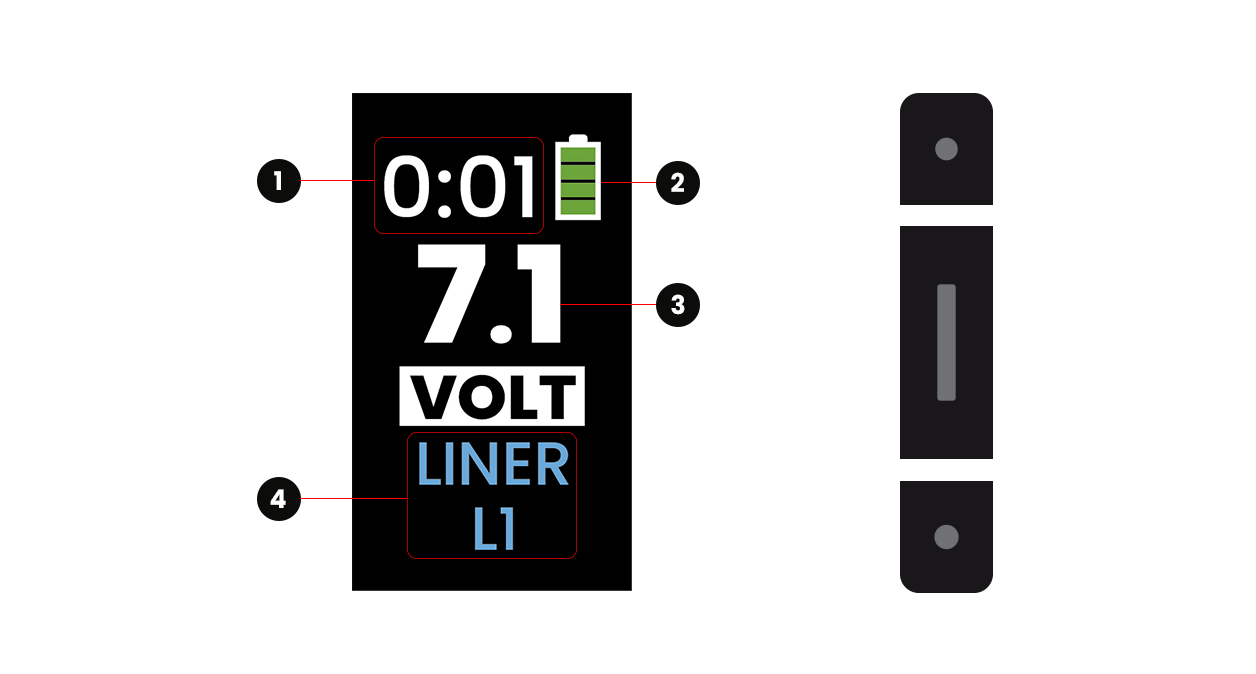
To switch on your machine, press the "Centre" button for 2 seconds.
You will now see your main screen with the battery level (2), the current voltage (3) and the current programme (4). The machine will always come on in "pause" mode; to put it in "active" mode, press the "Centre" button twice. You can now see your usage time (1), which will tell you how long your work sessions last.
To simply set your voltage, you need to be in "active" mode, i.e. the machine must be switched on. Press the "Up" button to increase the voltage or the "Down" button to decrease the voltage.
To put your machine in "Pause" mode, press the "Centre" button twice. Your usage time will also be frozen and will resume when you return to "active" mode.
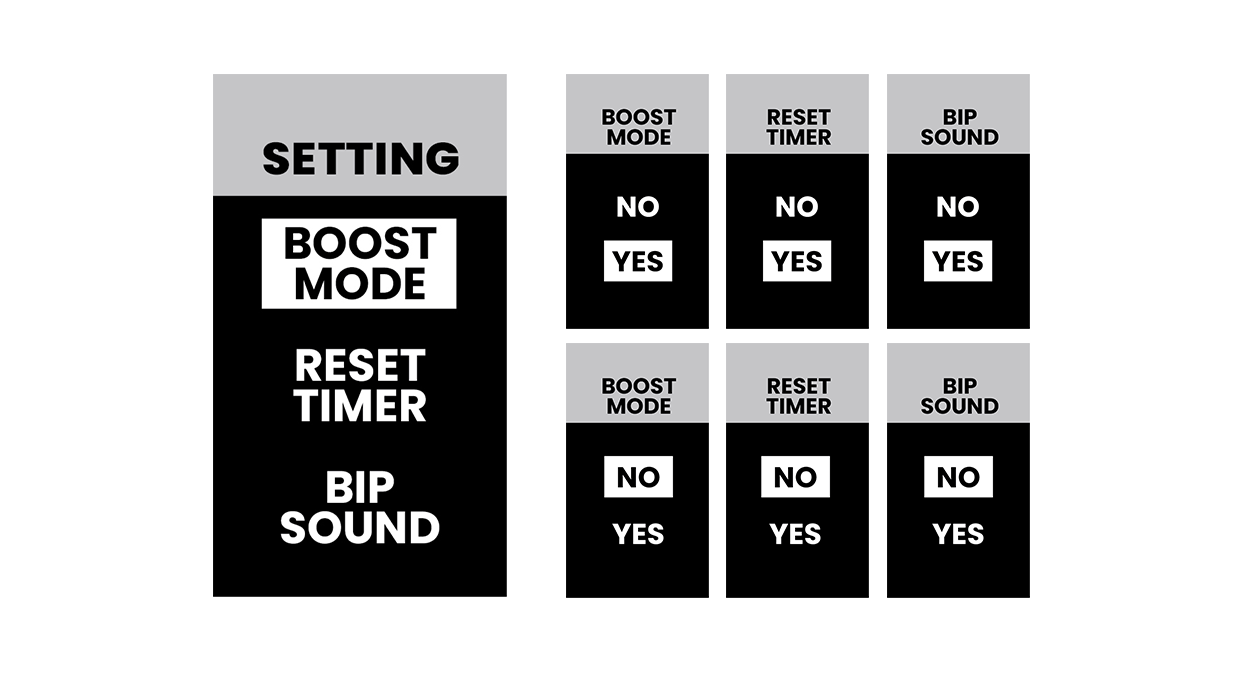
This menu allows you to activate or deactivate a number of machine options. To access these settings, press the "Centre" and "Down" buttons simultaneously. To navigate through this menu, use the "Up" or "Down" buttons. Press the "Centre" button to access one of the options and press "yes" or "no" to activate or deactivate the option. Repeat the operation for each option. You will find :
- " BOOST MODE: Allows you to boost the engine's power slightly when you start your machine.
- " RESET TIMER": Resets the operating time to zero at the end of your session.
- " BEEP SOUND": Switches the button sounds on or off.
You can programme 6 predefined speed settings for the machine to suit you. To access them, go to the main screen (you must be in "active" mode, the machine must be running), press the "Centre" button to reach screen (A). Press the "Centre" button again to reach screen (B). Press the "Up" or "Down" buttons to navigate through the different presets and press the "Centre" button to change the preset selected (C). Then press the "Up" or "Down" button to select the correct voltage and the "Centre" button to confirm. You must repeat the operation to set the other presets.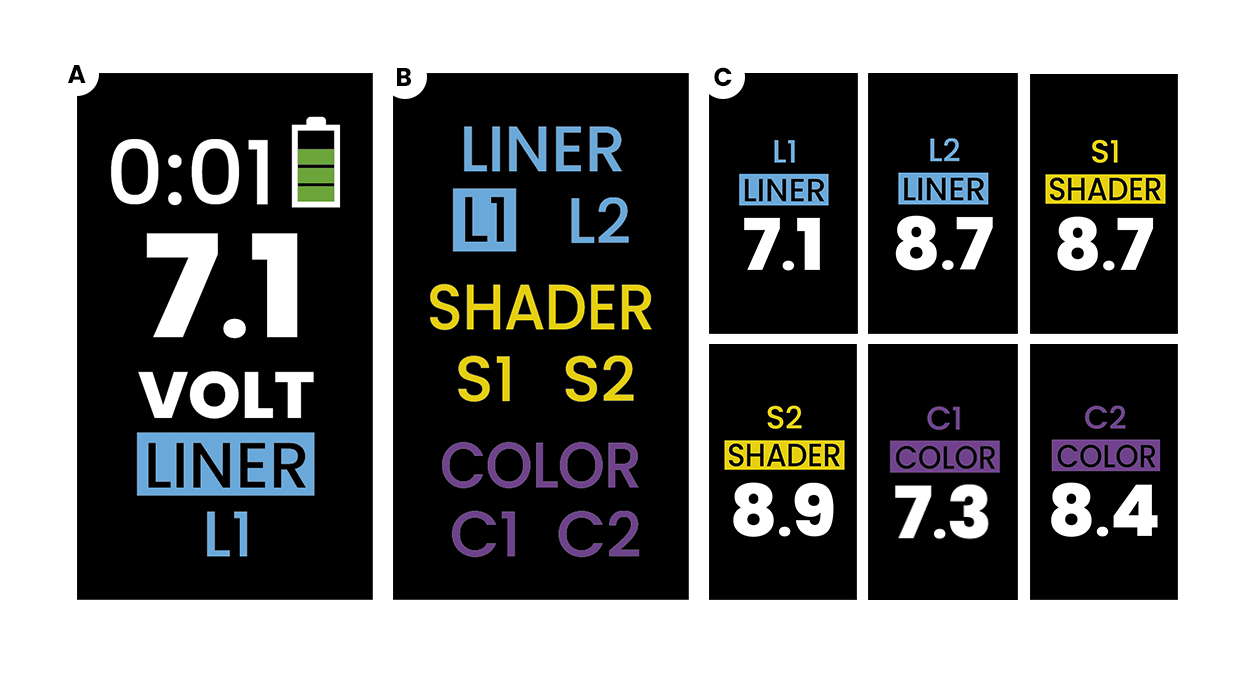
The advantage of having programmed your different working speeds is that you can switch from one to another quickly.
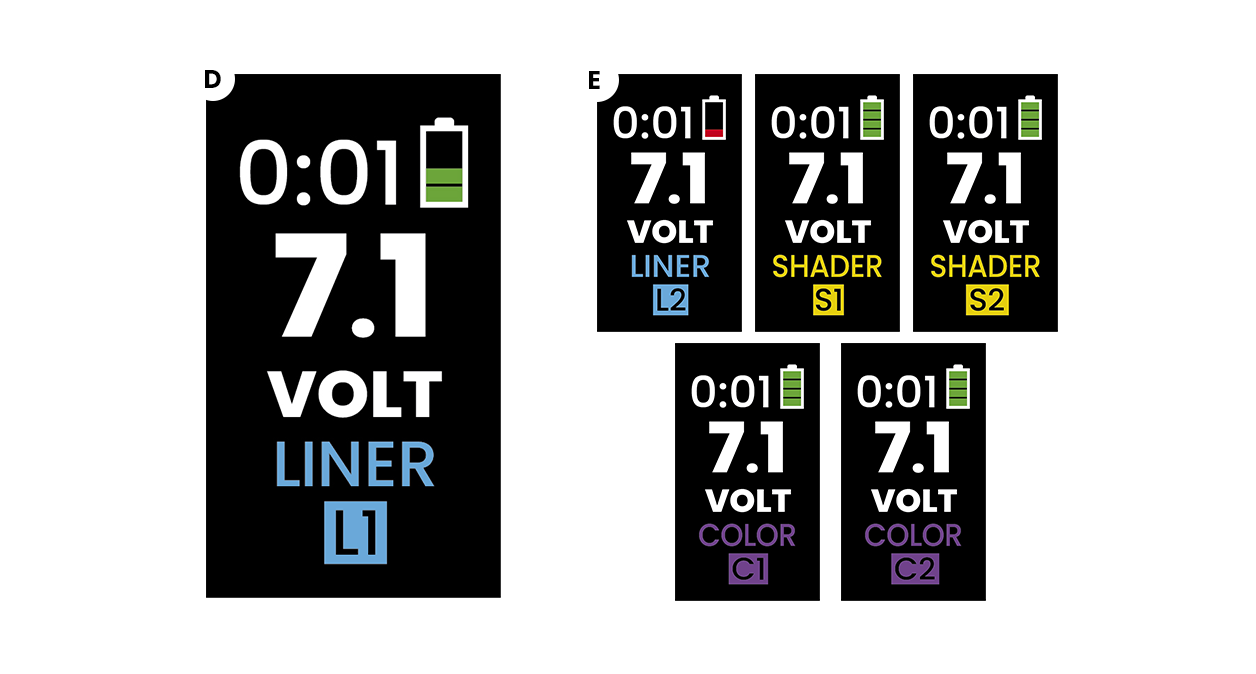
To use quick selection, you must be in "active" mode, i.e. the machine must be running. From the main screen, press the "Centre" button once, the "Down" button once and the "Centre" button once more to reach screen (D). You can then scroll through your presets using the "Up" or "Down" buttons and confirm the one you want to use using the "Centre" button. (E)

Complete your setup

You may also like


Can't find your answer?